
1. Introduction
Oracle Multitenant architecture provides a flexible way to consolidate databases, simplify database management, and modernize database infrastructure.
Although Oracle introduced the Multitenant architecture to support Container Databases (CDBs) and Pluggable Databases (PDBs), many organizations still operate standalone non-CDB databases. These databases may need to be migrated into a CDB as part of an Oracle Database upgrade or infrastructure modernization project.

One challenge DBAs face during this migration is minimizing application downtime.
A traditional migration approach may require the source database to be unavailable while the database is copied, converted, and upgraded. Depending on database size, storage performance, and network throughput, this can result in a lengthy maintenance window.
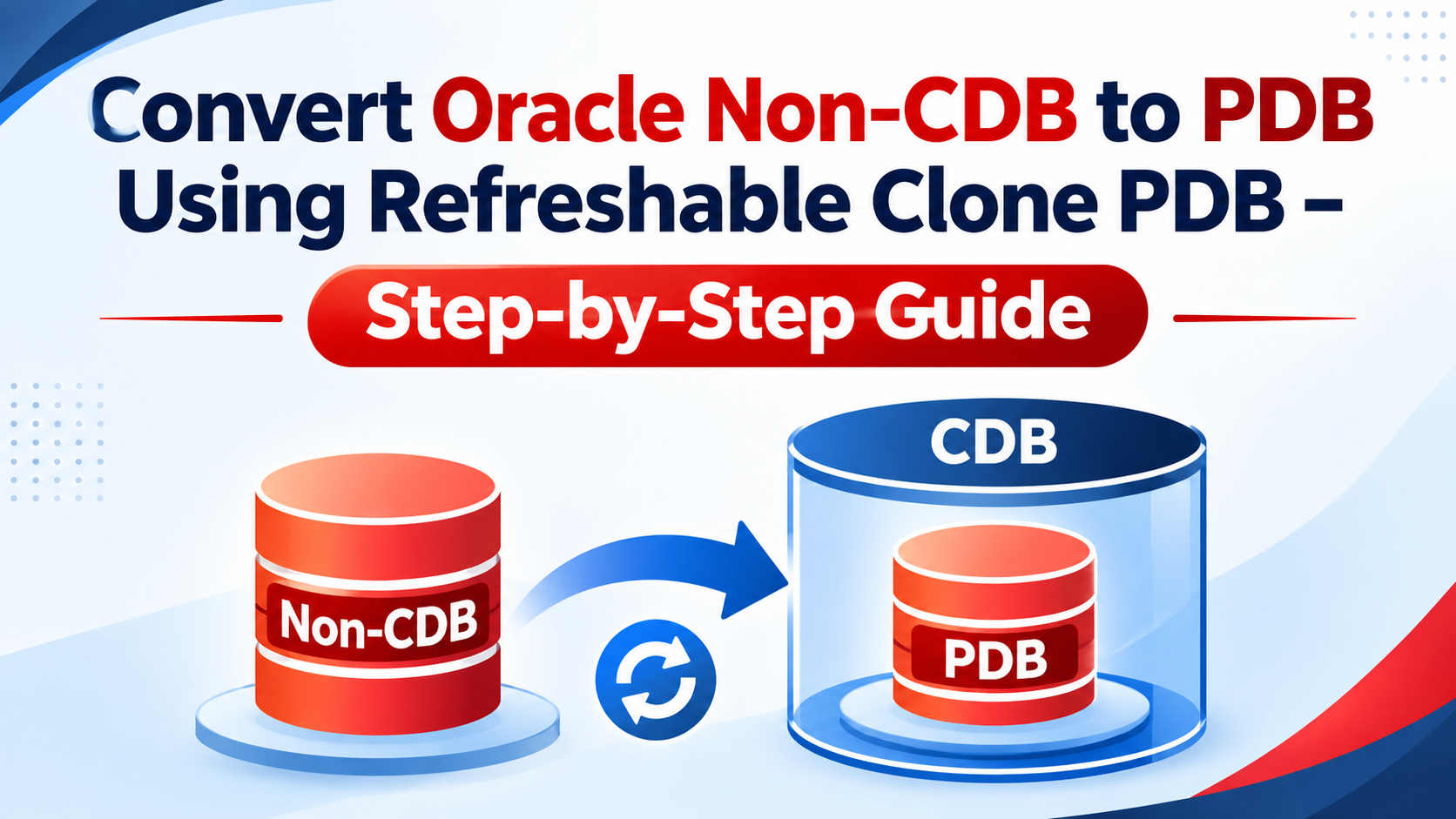
Oracle provides a useful approach through Refreshable Clone PDB, which allows a PDB to be created from a source non-CDB over a database link and refreshed to keep it synchronized with the source database.
The migration can be divided into four major stages:
- Create a PDB from the source non-CDB over a database link.
- Refresh the clone to apply changes from the source.
- Schedule a short outage, disconnect users, and perform the final refresh.
- Convert the refreshable clone into a regular PDB.
This approach is particularly useful when migrating an Oracle 19c non-CDB into an Oracle AI Database 26ai CDB.
This article explains the architecture, prerequisites, AutoUpgrade configuration, migration workflow, Data Guard considerations, and important rollback limitations.
2. Understanding Refreshable Clone PDB
A refreshable clone PDB is a PDB created from another database using a database link. It can be refreshed periodically to synchronize changes from its source.
For a non-CDB-to-PDB migration, the source is a standalone non-CDB database, while the target is a PDB inside a CDB.
For example, consider the following environment:
| Component | Configuration |
|---|---|
| Source database | Oracle Database 19c non-CDB |
| Source database name | NONCDB1 |
| Target database | Oracle AI Database 26ai CDB |
| Target CDB name | CDB1 |
| Target PDB name | PDB1 |
| Migration method | Refreshable Clone PDB |
The source database remains available while the target PDB is created and refreshed.
The main benefit is that most of the migration preparation and data synchronization can happen before the final application outage.
3. Refreshable Clone PDB Migration Architecture
The migration involves two database environments.
Source environment
- Oracle Database 19c
- Standalone non-CDB
- Existing application database
- Continues serving application requests during the preparation stage
Target environment
- Oracle AI Database 26ai
- Container Database (CDB)
- Target PDB created from the source non-CDB
- Receives refresh operations from the source
The conceptual architecture is:
        SOURCE SERVER
    Oracle Database 19c
          NONCDB1
        (Non-CDB)
             |
             |
      Database Link
             |
             v
        TARGET SERVER
    Oracle AI Database 26ai
             CDB1
              |
              |
             PDB1
      (Refreshable Clone)
              |
              |
       Refresh Operations
              |
              v
      Final Refresh
              |
              v
      Convert to Regular PDB
The target PDB is prepared while the source database remains available.
Once the target is synchronized and the application is ready for migration, the source database is taken out of service, the final refresh is performed, and the target PDB is converted into a regular PDB.
4. Why Use Refreshable Clone PDB?
A refreshable clone can reduce the amount of work that must be completed during the final migration outage.
Consider a production database containing several terabytes of application data.
If the DBA waits until the maintenance window to perform the entire migration, copying and preparing the database may consume a significant portion of the outage.
With a refreshable clone approach:
- The initial clone is created before the maintenance window.
- Refresh operations synchronize changes from the source.
- The final refresh is performed during the planned outage.
- The PDB is converted into a regular PDB.
This separates the preparation work from the final cutover.
However, the total migration time still depends on the initial clone duration, refresh duration, database size, redo generation, and application validation.
5. Prerequisites
Before starting the migration, DBAs should validate the source and target environments.
5.1 Source database requirements
Confirm the source database version and configuration.
SELECT name,
       open_mode,
       database_role,
       cdb
FROM v$database;
For a standalone non-CDB, the CDB column should indicate NO.
Check the database version:
SELECT banner
FROM v$version;
Check the database name and instance:
SELECT instance_name,
       host_name,
       version,
       status
FROM v$instance;
5.2 Target CDB requirements
Connect to the target CDB and validate its configuration.
SELECT name,
       open_mode,
       database_role,
       cdb
FROM v$database;
The target must be a CDB running the intended target Oracle Database release.
Check the existing PDBs:
SHOW PDBS;5.3 Database link connectivity
A database link is required to connect the target environment to the source non-CDB.
Validate network connectivity, listener availability, service registration, authentication, and required privileges.
The target must be able to establish a connection to the source database using the configured database link.
5.4 Storage and resource requirements
Before starting the clone operation, assess:
- Source database size.
- Target storage capacity.
- Temporary storage requirements.
- CPU and memory availability.
- Network bandwidth between source and target.
- Expected redo generation.
- Recovery and backup storage requirements.
Ensure sufficient capacity is available for the target PDB and any additional copies needed for the rollback strategy.
5.5 Backup requirements
Take a valid backup of the source database before starting the migration.
The masterclass highlights that conversion is irreversible and that restoring the database requires pre-plugin backups.
Do not rely on the refreshable clone as the only recovery mechanism.
6. Configure the Source Database
The source database must be prepared for remote access through the database link.
First, confirm that the source database is available and that the required database service is registered.
Check the service:
SHOW PARAMETER service_names;Check the listener:
lsnrctl statusThe target environment must be able to resolve the source database service through its Oracle Net configuration.
Database link considerations
The database link should be configured in the target CDB environment according to the migration design.
For example, the masterclass uses the following logical database link name:
CLONEPDBThe exact database link definition, credentials, connection descriptor, and required privileges must be configured according to the source and target environments.
Test the database link before running AutoUpgrade.
7. Prepare the Target Oracle Database 26ai Environment
Install Oracle AI Database 26ai software and create the target CDB.
For this example, assume the following Oracle Homes:
Source Oracle Home:
/u01/app/oracle/product/dbhome_19_33

Target Oracle Home:
/u01/app/oracle/product/dbhome_26_4
The target CDB is:
CDB1The target PDB will be:
PDB1Validate the target CDB before proceeding.
SELECT name, open_mode
FROM v$database;
SHOW PDBS;Ensure the target environment is configured and ready to receive the migrated PDB.
8. Configure Oracle AutoUpgrade for Refreshable Clone
Oracle AutoUpgrade provides automation for the migration workflow.
The Oracle masterclass demonstrates a configuration similar to the following:
global.autoupg_log_dir=/home/oracle/autoupgrade_logs

upg1.source_home=/u01/app/oracle/product/dbhome_19_33
upg1.target_home=/u01/app/oracle/product/dbhome_26_4

upg1.sid=NONCDB1

upg1.target_cdb=CDB1
upg1.target_version=26

upg1.source_dblink.NONCDB1=CLONEPDB
upg1.target_pdb_name.NONCDB1=PDB1

upg1.timezone_upg=NO
upg1.close_source=NO
upg1.keep_source_pdb=YES
The configuration parameters have the following purposes:
| Parameter | Description |
|---|---|
global.autoupg_log_dir | Defines the AutoUpgrade log directory. |
upg1.source_home | Specifies the source Oracle Home. |
upg1.target_home | Specifies the target Oracle Home. |
upg1.sid | Identifies the source database SID. |
upg1.target_cdb | Specifies the target Container Database. |
upg1.target_version | Specifies the target database release. |
upg1.source_dblink.NONCDB1 | Specifies the database link used for cloning. |
upg1.target_pdb_name.NONCDB1 | Defines the target PDB name. |
upg1.timezone_upg | Controls the time zone upgrade setting. |
upg1.close_source | Controls whether AutoUpgrade closes the source database. |
upg1.keep_source_pdb | Controls retention of the source PDB in the relevant workflow. |
These values are examples from the masterclass, not universal settings. Review the AutoUpgrade configuration documentation for the exact options supported by the AutoUpgrade version and migration workflow being used.
In particular, do not assume that close_source=NO or keep_source_pdb=YES is appropriate for every production migration.
9. Run AutoUpgrade Analyze
Before executing the migration, run AutoUpgrade in Analyze mode.
Analyze mode checks the source database and identifies potential upgrade issues.
Example:
java -jar autoupgrade.jar \
  -config noncdb_to_pdb.cfg \
  -mode analyze
Review the generated reports and logs.
Pay attention to:
- Invalid database objects.
- Database component status.
- Tablespace availability.
- Time zone upgrade requirements.
- Deprecated or desupported features.
- Unsupported initialization parameters.
- Required pre-upgrade fixups.
- Database compatibility considerations.
Resolve the identified issues before proceeding.
10. Run AutoUpgrade Fixups
After Analyze completes, review the required fixups.
AutoUpgrade can identify and perform supported automatic corrections.
Some issues may require manual intervention.
Examples include:
- Resolving invalid objects.
- Correcting database configuration issues.
- Increasing available storage.
- Reviewing database components.
- Addressing application compatibility problems.
Do not proceed to the migration stage until the important pre-upgrade findings have been resolved or formally accepted.
11. Create the Refreshable Clone PDB
Once the source and target environments are ready, AutoUpgrade can execute the refreshable clone workflow based on the configuration.
The initial clone is created from the source non-CDB through the configured database link.
Conceptually:
Source non-CDB
      |
      | Initial clone
      v
Target CDB
      |
      v
Refreshable PDB
The initial cloning operation copies the required database contents into the target environment.
The source database can remain available during this preparation stage, subject to the migration workflow and configuration.
Monitor the AutoUpgrade logs to follow the progress of the operation.
12. Refresh the Clone PDB
After the initial clone has been created, refresh operations are used to synchronize changes from the source database.
The refresh process applies changes so that the target PDB remains aligned with the source.
The key benefit is that the DBA can perform much of the migration preparation before the production outage.
A simplified workflow is:
- Create the initial refreshable clone.
- Allow the source database to continue operating.
- Perform refresh operations.
- Monitor the synchronization process.
- Schedule the final migration window.
The frequency of refresh operations should be planned according to the source workload, redo generation, and migration schedule.
A high redo generation rate can increase the amount of work required during each refresh.
13. Perform the Final Cutover
The final cutover is the most important stage of the migration.
At this point, the target PDB should already contain most of the source database changes.
A typical cutover sequence is:
Step 1: Stop application activity
Coordinate with application teams and stop application connections to the source database.
Ensure that no new business transactions are being generated.
Step 2: Confirm source activity has stopped
Check for remaining application sessions and transactions.
SELECT username,
       status,
       service_name,
       machine,
       program
FROM v$session
WHERE type = 'USER';
This query helps identify user sessions. Review application-specific connections and transactions before proceeding.
Step 3: Perform the final refresh
Execute the final refresh operation using the supported AutoUpgrade workflow.
The purpose is to apply the remaining source changes before the PDB becomes independent.
Step 4: Convert the refreshable clone
After the final refresh, the refreshable clone must be converted into a regular PDB.
The conversion step is essential because the target PDB must no longer depend on the source database for refresh operations.
Step 5: Complete the migration
Follow the remaining AutoUpgrade operations and confirm that the target PDB is successfully upgraded and opened.
The exact operation sequence and commands should follow the AutoUpgrade workflow for the selected release. Avoid manually disconnecting or converting the PDB outside the supported process while AutoUpgrade is managing the migration.
14. Validate the Target PDB
After the migration, perform database-level validation.
14.1 Verify PDB status
Connect to the target CDB as a privileged user.
SHOW PDBS;Or:
SELECT name,
       open_mode,
       restricted
FROM v$pdbs;
Confirm that the target PDB is open in the expected mode.
14.2 Verify database version
SELECT banner
FROM v$version;
14.3 Verify database components
SELECT comp_id,
       comp_name,
       version,
       status
FROM dba_registry
ORDER BY comp_name;
Confirm that required database components have the expected status.
14.4 Check invalid objects
SELECT owner,
       object_type,
       COUNT(*) AS invalid_count
FROM dba_objects
WHERE status = 'INVALID'
GROUP BY owner, object_type
ORDER BY owner, object_type;
Investigate invalid objects and recompile where appropriate.
14.5 Validate application connectivity
Test:
- Application database connections.
- Database services.
- Application schemas.
- Critical business transactions.
- Database links.
- Scheduled jobs.
- External integrations.
- Backup and monitoring configurations.
Application-level validation is essential before declaring the migration complete.
15. Data Guard Considerations
Data Guard requires additional planning when using the refreshable clone approach.
The Oracle masterclass highlights an important limitation:
Refreshable clone works only with deferred recovery on the standby database in the described migration scenario.
The standby database records the PDB creation but does not immediately locate and recover the PDB data files in the same way as enabled recovery.
After disconnecting the source non-CDB, the PDB must be restored on the standby database to establish protection.
The high-level workflow is:
- Prepare the primary and standby environments.
- Configure the migration using the deferred recovery approach.
- Perform the refreshable clone migration.
- Complete the final refresh and disconnect operation.
- Restore the PDB on the standby database.
- Validate managed recovery and Data Guard protection.
Do not assume the standby PDB is fully protected immediately after the clone is created.
The DBA must verify the standby recovery status and confirm that the required data files are present and synchronized.
16. Rollback Considerations
One of the most important points in this migration approach is that the conversion is a one-time operation and is irreversible.
The masterclass specifically identifies the following limitations:
- The conversion is similar to an unplug-and-plug upgrade.
- It is a one-time conversion.
- It is irreversible.
- Flashback Database is not supported for this conversion approach.
- Additional Data Guard work is required.
- Restoring requires pre-plugin backups.
Therefore, DBAs should not treat the refreshable clone as a complete rollback solution.
Prepare a recovery strategy before starting the final cutover.
Possible recovery considerations include:
Backup and restore
Maintain a valid source backup and confirm that the restore procedure is documented and tested.
Data file copies
Where appropriate, retain separate data file copies to support recovery planning. This requires additional storage.
Pre-plugin backups
Maintain the required pre-plugin backups so that recovery between containers can be performed according to the supported procedure.
The business must also agree on the point at which the source database will no longer be used as the production database.
17. Common Migration Challenges
Database link connectivity problems
A failed database link can prevent the initial clone or refresh operation.
Check:
- Listener availability.
- TNS resolution.
- Network connectivity.
- Database link credentials.
- Required privileges.
- Source database service registration.
Insufficient target storage
The initial clone requires sufficient storage in the target environment.
Check available space before starting the migration.
Refresh operations taking too long
If the source database generates a large volume of redo, refresh operations may take longer than expected.
Review the source workload and allow sufficient time for synchronization.
Invalid database objects
Invalid objects may be identified during the pre-upgrade checks or after the migration.
Review the component status and compile invalid objects where appropriate.
Data Guard recovery issues
A PDB may not be fully protected on the standby after the migration if the deferred recovery process has not been completed.
Validate the standby database and confirm that the required PDB restoration has been performed.
18. Production Migration Checklist
Before starting the migration, use the following checklist.
Source database
- Confirm source database version and configuration.
- Confirm source database is a non-CDB.
- Check database component status.
- Review invalid objects.
- Validate listener and database services.
- Take and verify a database backup.
Target environment
- Install target Oracle Database software.
- Create and validate the target CDB.
- Confirm sufficient CPU and memory.
- Confirm sufficient storage.
- Configure network connectivity.
- Create and test the required database link.
AutoUpgrade
- Download the appropriate AutoUpgrade version.
- Prepare the configuration file.
- Run Analyze.
- Resolve required fixups.
- Review AutoUpgrade logs.
- Test the migration in a non-production environment.
Cutover
- Obtain application owner approval.
- Stop application connections.
- Confirm source transactions have completed.
- Perform the final refresh.
- Complete the conversion to a regular PDB.
- Validate PDB status and database components.
- Test application connectivity and transactions.
Data Guard and recovery
- Confirm the Data Guard migration approach.
- Plan deferred recovery where required.
- Restore the PDB on the standby database.
- Verify standby recovery.
- Confirm backup and recovery readiness.
19. Conclusion
Refreshable Clone PDB is a useful migration approach for moving a standalone Oracle Database into a Multitenant architecture while reducing the amount of work required during the final maintenance window.
By creating the clone in advance and refreshing it before cutover, DBAs can perform much of the migration preparation while the source database remains available.
However, the approach requires careful planning.
The conversion is irreversible, Flashback Database is not supported for this method, and additional Data Guard and recovery work may be required.
For organizations migrating Oracle Database 19c non-CDB environments into Oracle AI Database 26ai, Refreshable Clone PDB can provide a practical migration path when its limitations and prerequisites are properly understood.
The key to a successful migration is not simply creating the clone. It is planning the final refresh, conversion, recovery strategy, and application cutover as one coordinated activity.
SEO Details
Suggested URL slug:oracle-noncdb-to-pdb-refreshable-clone
Meta description:
Learn how to convert an Oracle Database 19c non-CDB into a PDB using Refreshable Clone PDB and AutoUpgrade. Explore migration steps, final cutover, Data Guard, and rollback considerations.
Focus keyword:
Oracle Non-CDB to PDB using Refreshable Clone
Additional keywords:
- Oracle Refreshable Clone PDB
- Oracle Non-CDB to PDB conversion
- Oracle 19c to 26ai migration
- Oracle AutoUpgrade
- Oracle Multitenant migration
- Oracle PDB migration
- Oracle Data Guard PDB migration
WordPress tags:
Oracle Database, Oracle 19c, Oracle 26ai, Non-CDB to PDB, Refreshable Clone PDB, AutoUpgrade, Oracle Multitenant, Database Migration, Data Guard
Suggested featured image title:
Convert Oracle Non-CDB to PDB Using Refreshable Clone PDB
Suggested internal links:
- How to Upgrade Oracle Database 19c to Oracle AI Database 26ai Using AutoUpgrade
- Oracle CDB Upgrade vs PDB Upgrade: Which Approach Should DBAs Choose?
- Oracle AutoUpgrade: Analyze, Fixups, Deploy and Parallel Upgrade Explained
Technical note: The configuration and workflow examples in this article are based on the Oracle masterclass. Validate the exact AutoUpgrade parameters, supported source and target releases, database link requirements, and final conversion procedure against the documentation for the AutoUpgrade version you deploy. Test the complete workflow in a non-production environment before using it in production.