
Oracle Recovery Manager (RMAN) is one of the most important tools for protecting Oracle databases. However, backup jobs can fail or run longer than expected because of storage issues, archive log problems, insufficient resources, or backup media management errors.
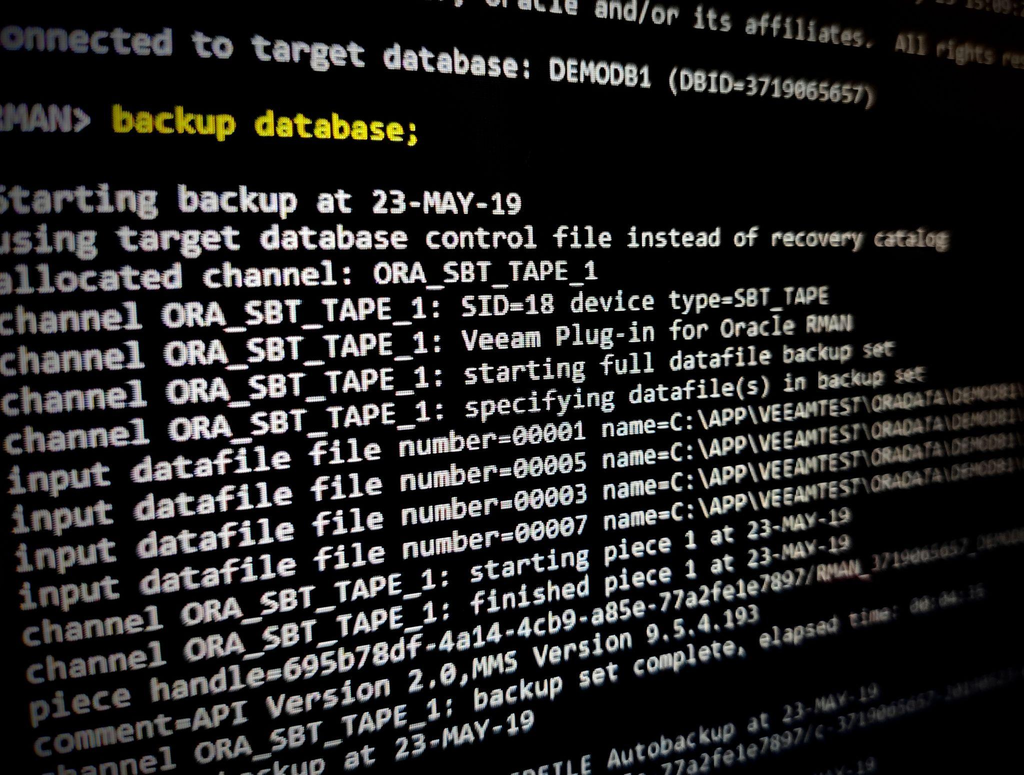
This guide explains practical techniques for identifying and resolving common RMAN backup problems.
1. Check the RMAN Backup Job Status
Start by reviewing the backup history to identify failed or incomplete jobs.
SET LINESIZE 200
COLUMN STATUS FORMAT A15
COLUMN INPUT_TYPE FORMAT A20

SELECT
    SESSION_KEY,
    INPUT_TYPE,
    STATUS,
    START_TIME,
    END_TIME,
    TIME_TAKEN_DISPLAY
FROM V$RMAN_BACKUP_JOB_DETAILS
ORDER BY START_TIME DESC;
Review the status, start time, end time, and duration to determine when the problem occurred.
2. Identify Long-Running RMAN Operations
If an RMAN backup appears to be hanging, check active long-running operations.
SELECT
    SID,
    SERIAL#,
    OPNAME,
    SOFAR,
    TOTALWORK,
    ROUND(SOFAR / NULLIF(TOTALWORK, 0) * 100, 2) AS PCT_COMPLETE,
    TIME_REMAINING
FROM V$SESSION_LONGOPS
WHERE TOTALWORK > 0
  AND SOFAR < TOTALWORK
ORDER BY START_TIME;
A lack of progress does not automatically mean that RMAN is hung. The session may be waiting for storage, a backup appliance, or a media management library.
3. Troubleshoot Slow Backups
Common causes of slow RMAN backups include:
- High disk I/O latency.
- Network congestion between the database and backup destination.
- Insufficient RMAN channels.
- Slow NFS or SMB/CIFS storage.
- Backup appliance or media management library delays.
- CPU or memory pressure.
On Linux, check system activity:
iostat -xz 5
vmstat 5
df -h
df -i
For tape or third-party backup solutions, review the backup software logs as well as the RMAN log. RMAN may be waiting for a backup piece to be created by the media management layer.
4. Check Archive Log Backup and Deletion
Before implementing archive log deletion, confirm that your backup and recovery requirements are satisfied.
LIST BACKUP OF ARCHIVELOG ALL;
CROSSCHECK ARCHIVELOG ALL;
CROSSCHECK updates RMAN’s repository status based on whether the files are accessible. It does not itself delete archive logs.
A controlled deletion policy can be configured according to your recovery requirements:
SHOW ARCHIVELOG DELETION POLICY;Do not delete archive logs manually or change the deletion policy without confirming Data Guard, recovery, and backup requirements.
5. Verify Backup Completion
Check the generated backup pieces and the RMAN job status. For stronger verification, perform appropriate backup validation and periodic restore tests.
For example:
RESTORE DATABASE VALIDATE;This checks whether RMAN can read the required backup pieces for the restore operation without actually restoring the database files.
Conclusion
Effective RMAN troubleshooting requires checking both the database and the backup infrastructure. Review RMAN job history, monitor session progress, investigate storage and network performance, and verify that backup pieces are usable.
A successful backup job is only one part of a reliable recovery strategy. Regular restore testing is essential to establish that the database can be recovered when needed.
Oracle RMAN Session Monitoring and Safely Identifying Long-Running RMAN Operations